Designed to catch every conflict.
One missed conflict can end a career. LegalEdge is built to run comprehensive conflict checks with fuzzy matching, phonetic analysis, and related-party searches, automatically during intake and on demand.
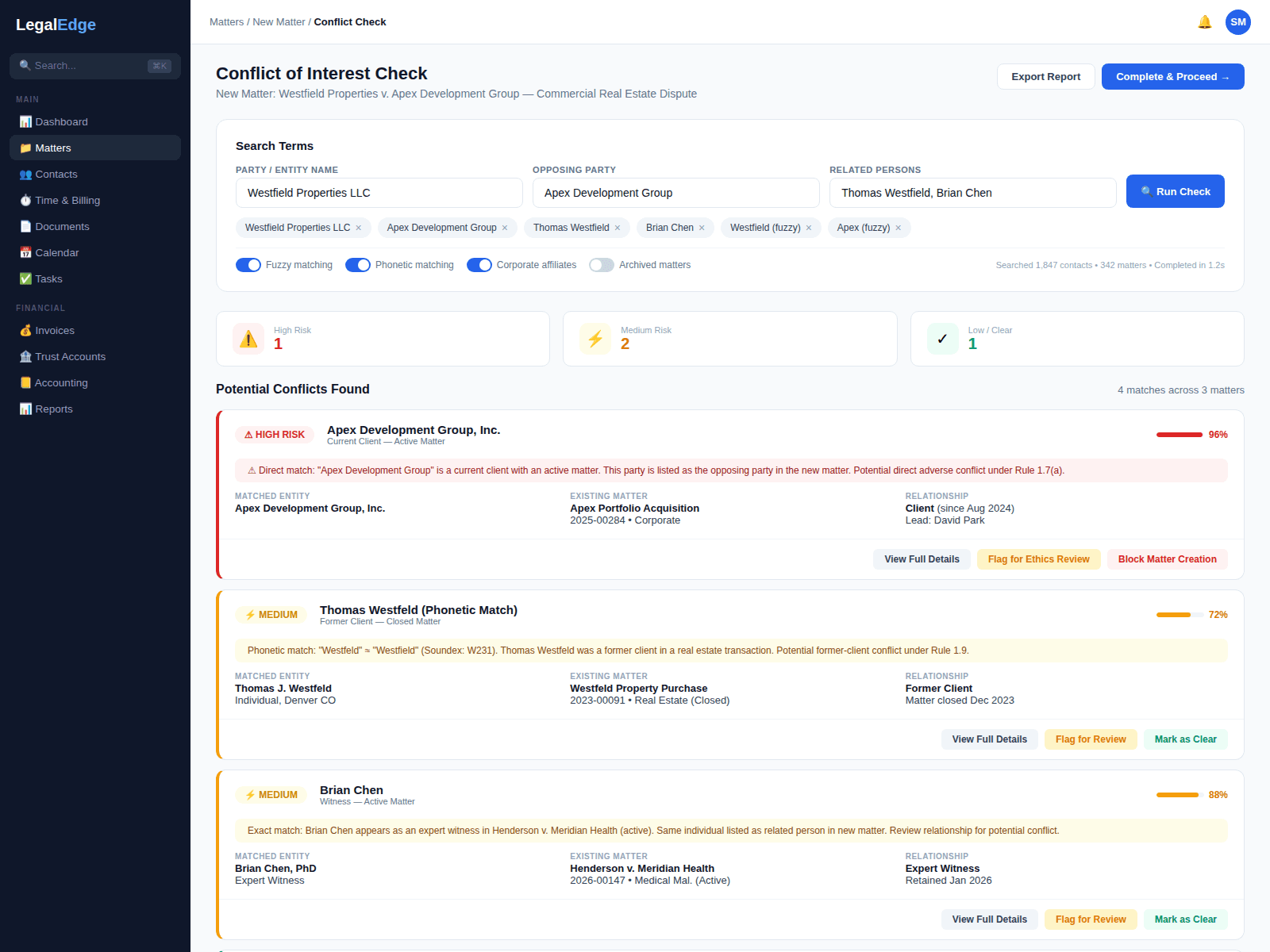
Conflict checking that leaves less to chance
Spreadsheets and simple name searches are not enough. LegalEdge is designed around advanced matching to find conflicts that other systems miss.
Fuzzy and phonetic matching
Designed to catch conflicts that exact-match searches miss. Misspellings, name variations, maiden names, and phonetically similar entries are intended to surface, because 'Smith' and 'Smyth' may be the same person.
Related-party searches
Conflicts do not stop at clients. LegalEdge is designed to search across opposing parties, witnesses, co-counsel, corporate affiliates, and related contacts before a firm engages.
Configurable rules engine
Conflict policies are designed to be expressible as rules: match confidence thresholds, partner approval for borderline cases, and jurisdiction-specific ethics rules.
Immutable audit trail
Every conflict search, result, and clearance decision is designed to be logged with timestamps and user attribution so the record is ready for bar inquiries or malpractice defense.
How conflict checking is designed in LegalEdge
Live product screenshots will be added once the conflict checking surface area is ready to share publicly.
Automatic checks during intake
A conflict check is designed to run automatically whenever a new client or matter enters the system, whether through a web intake form, a manual entry, or a CRM lead. No one has to remember to run it.
- Triggers on every new matter and client creation
- Designed to block matter opening until conflicts are cleared
- Notifies responsible attorneys of potential hits
Multi-algorithm matching
LegalEdge is designed to combine Levenshtein distance for fuzzy matching, Soundex and Metaphone for phonetic matching, and a nickname and alias database so "Robert," "Bob," and "Roberto" can be surfaced as the same person.
- Fuzzy matching designed to catch typos and transliterations
- Phonetic matching designed to find names that sound alike
- Nickname and alias database covering common variants
Related-party and corporate searches
Conflict checking is not just about named parties. LegalEdge is designed to search across related individuals, corporate affiliates, subsidiaries, opposing counsel, witnesses, and experts connected to a matter, past or present.
- Searches all parties, not just primary client names
- Corporate family tree traversal for entity conflicts
- Historical matter data included in every search
Immutable audit trail
Every conflict search is designed to be permanently logged: who ran it, when, with what parameters, with what results, and what clearance decision followed. If the bar or a malpractice carrier ever asks, the record is intended to be complete and tamper-resistant.
- Timestamped, immutable search and decision logs
- Waivers and consent forms linked to audit records
- Exportable reports for compliance reviews
Designed to work with your existing data
Migrating from another platform? LegalEdge is designed to import your contact and matter history so that conflict checks are comprehensive from day one. Past relationships matter just as much as current ones.
Protect your firm from day one
Start free. No credit card required. Comprehensive conflict checking from the first matter.
Free migration from Clio, PracticePanther, MyCase, and more.