Designed to connect with the tools you already use.
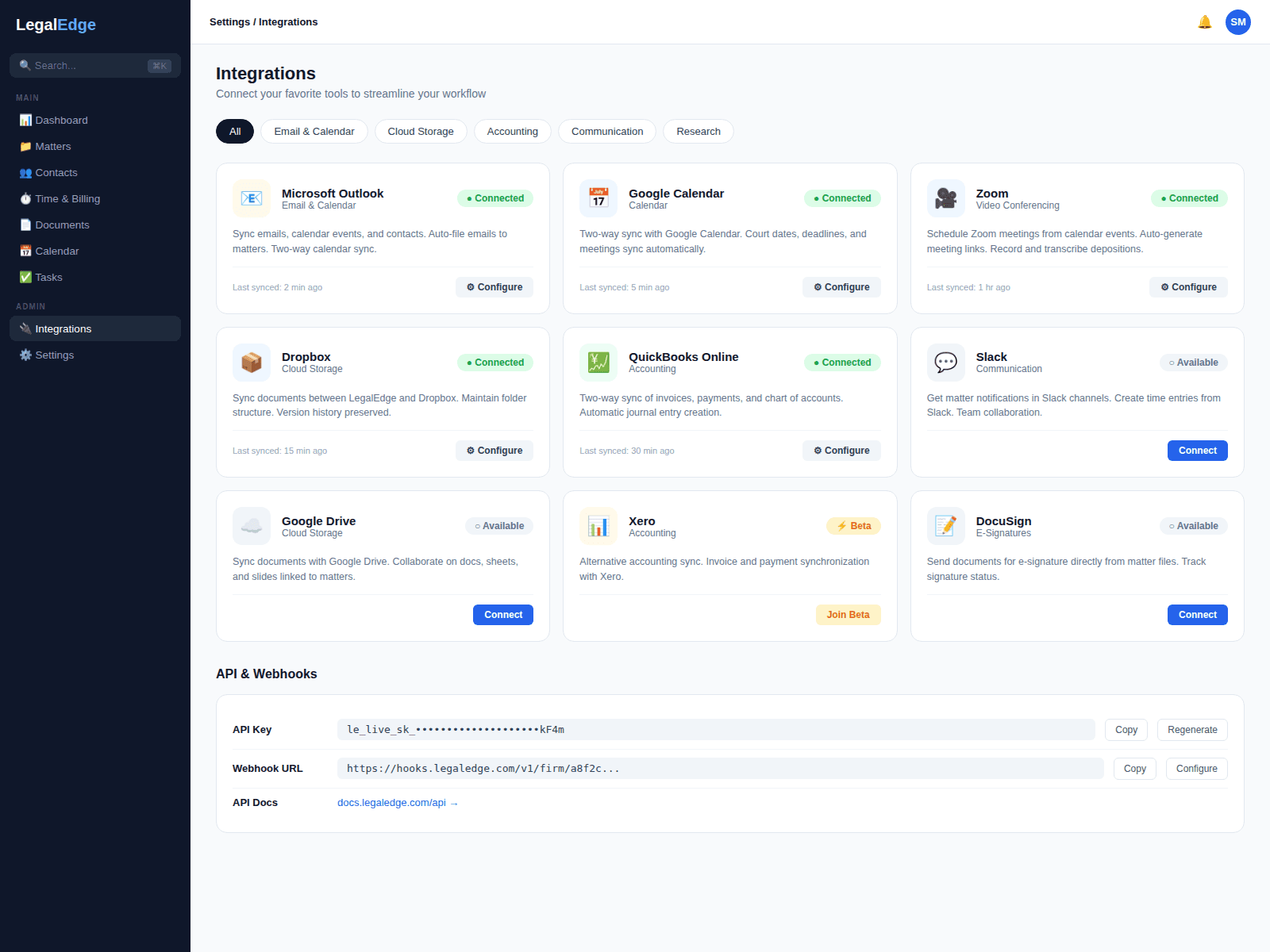
LegalEdge ships with full functionality built in, and is designed to connect to the rest of your stack as well, plus a REST API and webhooks for anything custom.
Built-in power, open by design
Most legal software forces a choice: live in their limited tools, or stitch together a fragile stack of integrations. LegalEdge is designed to be a complete platform that also connects out.
Ready-made integrations
Google Workspace, Microsoft 365, Zoom, Slack, Dropbox, Box, OneDrive, Calendly, and more. Designed for one-click setup with no IT department in the loop.
Zapier and Power Automate
LegalEdge is designed to connect into Zapier and Power Automate so firms can build automations between LegalEdge and any app in their stack without writing code.
REST API and webhooks
Need something custom? A REST API is designed to provide programmatic access to entities in LegalEdge, with real-time webhooks pushing events to your systems.
Deep email integration
Two-way sync with Gmail and Outlook is designed to file emails to matters, sync contacts, and keep calendars in step, without an email plugin to install.
How LegalEdge connects your practice
Live product screenshots will be added once the integration surface area is ready to share publicly.
Email and calendar sync
Connect a Gmail or Outlook account once and everything is designed to stay in sync. Emails are filed to the correct matter based on participants. Calendar events, court dates, and deadlines flow both ways.
- Two-way email sync with Gmail and Outlook
- Smart auto-filing based on contacts and matters
- Bidirectional calendar sync with conflict detection





Video conferencing and team communication
Launch Zoom or Teams calls directly from a matter. Meeting links are designed to attach to calendar events automatically. The Slack integration is designed to surface matter updates, payments, and approaching deadlines in the channels the team already watches.
- One-click Zoom and Teams meeting creation
- Slack notifications for matter and billing events
- Meeting recordings linked to matters
Cloud storage integration
Keep using Dropbox, Google Drive, OneDrive, or Box. LegalEdge is designed to link directly into your cloud storage so files are accessible from the matter without being duplicated.
- Direct links to Dropbox, Drive, OneDrive, and Box
- Automatic folder structures per matter
- No file duplication, designed as a single source of truth



REST API and webhooks for custom builds
For firms with unique needs, the LegalEdge API is designed to provide CRUD access to matters, contacts, time entries, invoices, and documents. Webhooks push real-time events to your systems.
- REST API with CRUD access to entities
- Webhook event types with HMAC verification
- SDKs available for common languages
Zapier connectivity
The Zapier integration is designed to connect LegalEdge to other apps without code. Create matters from form submissions, sync contacts to your marketing platform, send payment notifications to a Slack channel, or build other no-code automations.
- Pre-built triggers and actions for common workflows
- No-code setup with point-and-click configuration
- Multi-step Zaps for multi-app workflows

Popular integrations
A sample of what LegalEdge is designed to connect with. Don't see what you need? Check the API documentation or ask our team.
Productivity and Communication
- Google Workspace
- Microsoft 365
- Slack
- Zoom
- Microsoft Teams
- Calendly
Cloud Storage
- Dropbox
- Google Drive
- OneDrive
- Box
- SharePoint
- iManage
Accounting and Finance
- QuickBooks Online
- Xero
- FreshBooks
- Stripe
- PayPal
- Plaid
Automation and Development
- Zapier
- Power Automate
- Make (Integromat)
- REST API
- Webhooks
- Custom OAuth
Connect everything, replace nothing
Start free. No credit card required. Integrations and API access included.
Free migration from Clio, PracticePanther, MyCase, and more.