Every matter, every detail, in one dashboard.
Matters, contacts, tasks, deadlines, documents, and billing, designed to live in one place rather than scattered across disconnected tools.
Start Free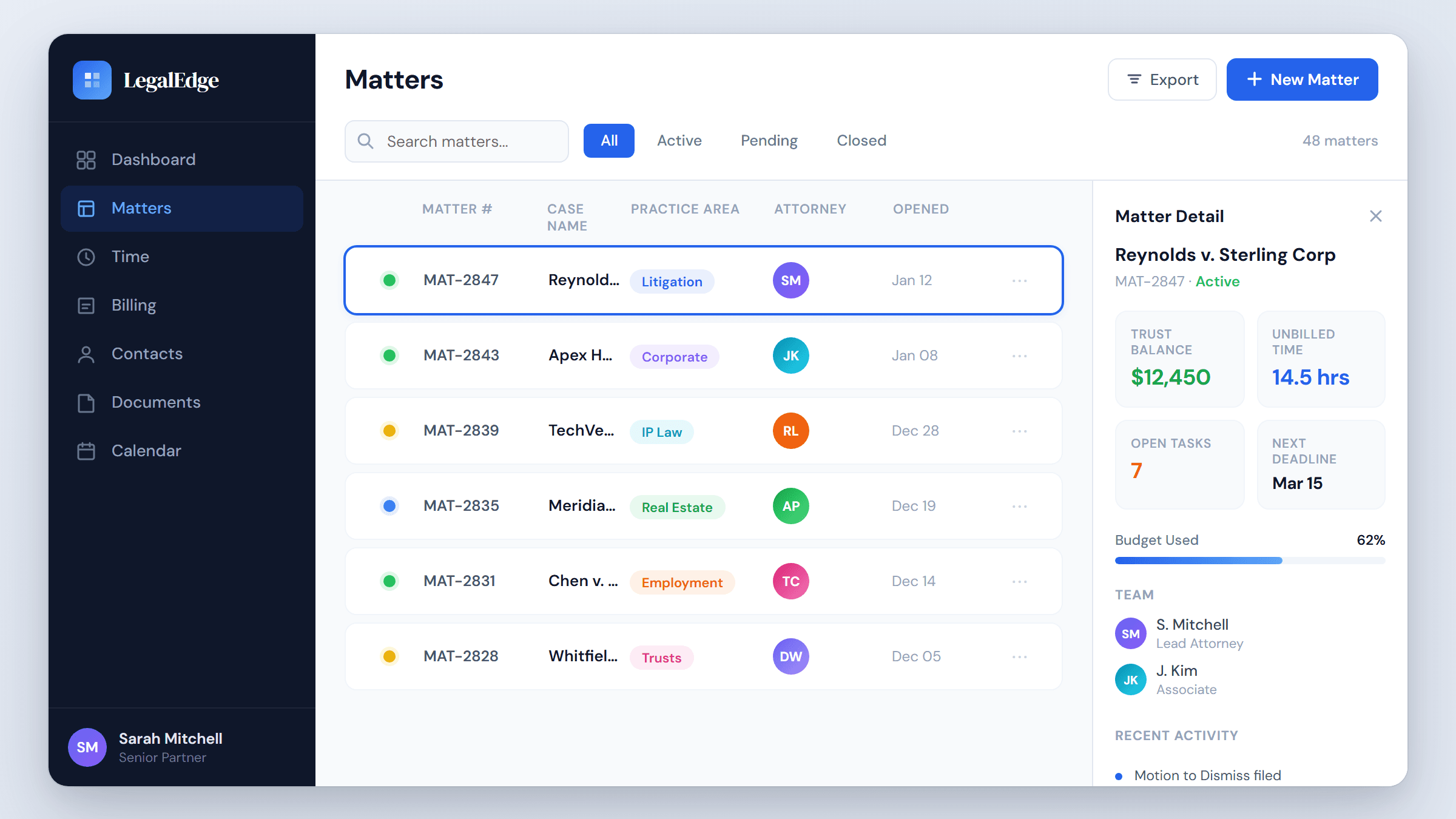
Why this matters
Industry studies suggest attorneys spend meaningful weekly hours searching for case information across disconnected tools. LegalEdge is designed to compress that overhead.
Single source of truth
Documents, notes, emails, time entries, and billing records are designed to live inside the matter, so the case file is the case file.
Custom fields and tags
Build the data model your practice actually needs. Unlimited custom fields, color-coded tags, and practice-area views without writing code.
Linked matters and contacts
Connect related cases, opposing parties, co-counsel, and corporate family trees. The relationship map is designed to be visible at a glance.
Conflict checking on every entry
Fuzzy and phonetic matching are designed to run automatically whenever a matter or contact is created.
How matter management is designed to work
Live product screenshots will be added once the matter surface area is ready to share publicly.
Open a matter in seconds
A new matter opens with a single action. LegalEdge is designed to pre-populate jurisdiction-specific fields, assign a unique matter number, run a conflict check in the background, and notify assigned attorneys.
- Auto-generated matter numbers with customizable formats
- Conflict check designed to run on every matter and contact
- Jurisdiction-specific templates pre-fill required fields
- Role-based per-matter permissions for team members
A 360-degree matter dashboard
Stop toggling between billing software, calendar, document drive, and task manager. The matter dashboard is designed to surface deadlines, unbilled time, trust balances, recent documents, and open tasks in one view.
- Real-time financials: fees, costs, trust balance, AR aging
- Timeline view of activity across the matter
- Pinned notes and critical dates at the top of the page
- One-click navigation to any linked matter or contact
Tasks and deadlines designed to keep up
Most practice management tools give a checklist. LegalEdge is being built for deadline chains with court-rule awareness, automated reminders, dependency tracking, and workload balancing. When a hearing moves, downstream deadlines are designed to recalculate.
- Court-rule-aware deadline chains across jurisdictions
- Automated reminder sequences via email and in-app notification
- Task dependencies and predecessor or successor relationships
- Workload view showing capacity across the team
Workflow automation for repeatable processes
Turn the firm's best procedures into automated workflows. When a new matter opens, LegalEdge is designed to be able to create tasks, send a welcome email, generate a retainer agreement, request records, and schedule a follow-up.
- Triggers on matter creation, status change, or deadline
- Conditional logic adapts steps to matter type or jurisdiction
- Pre-built templates for litigation, PI, family law, and more
- Full audit trail of every automated action
Search and filtering designed to feel instant
Find any matter, contact, document, or note quickly. Full-text search is designed to index files and emails inside matters, with saved filter views for common queries.
- Full-text search across documents, emails, and notes
- Saved custom filter views for fast access
- Bulk actions: reassign, tag, archive, or export
- Keyboard shortcuts for power users
Connected to everything else in the firm
Matter management is designed as the hub of LegalEdge. Other features connect directly without separate sync steps.
Time Tracking
Time entries are designed to link to the active matter. Passive capture tags work to the right matter with AI matching.
Billing and Invoicing
Invoices generate directly from unbilled time and costs on the matter, with split billing and flat-fee arrangements supported.
Conflict Checking
New matters and contacts trigger automatic conflict checks before the record is saved.
Client Portal
Clients see their matter status, shared documents, invoices, and messages, with per-matter permission control.
See every matter in one place
Start free. No credit card required. Migration help is included.
Free migration from Clio, PracticePanther, MyCase, and more.